Neoverb by iZotope

A Reverb That Listens
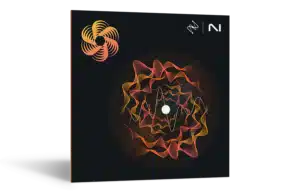
Neoverb by iZotope is a worthy addition to any studio. I’m a big fan of using different reverbs on different instruments so they compliment each other, and one of the things I love about Neoverb is how easily I can shape it to fill the empty space in my mix.
From the minds behind Ozone and Nectar, and powered by legendary Exponential Audio technology, iZotope Neoverb is the most intelligent reverb plug-in for music producers. Save time and leave the trial and error behind and design unique spaces for vocals and instruments in seconds, without muddying the mix.
Introducing Neoverb
A new real-time Reverb Assistant guides you in selecting and blending reverbs according to your creative needs. An AI-powered EQ section listens to your audio and helps you avoid artifacts, mud, and masking. Explore a deep Advanced panel and dozens of presets for vocals and instruments, and add your personal touch. Whether you’re a new producer honing your a craft, or a veteran on your latest project, Neoverb will help you get to a great reverb sound in less time.
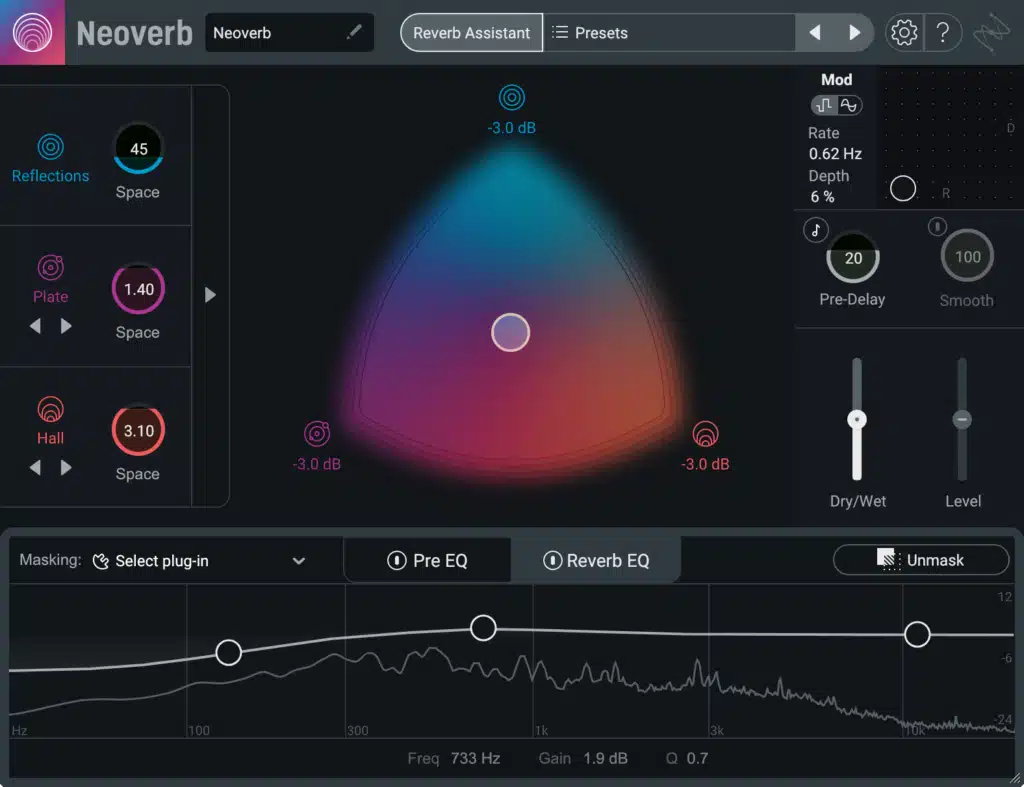
iZotope Neoverb’s innovative Blend Pad and Reverb Assistant get you further, faster by helping you mix different types of reverbs into one unique space that fits your track.
Made with Exponential Audio tech
Neoverb is powered by Exponential Audio’s famous reverb engines. Inspired by classic studio hardware, Exponential Audio reverbs are beloved for their high quality algorithms and realistic room sounds. Combine best-in-class sound quality with iZotope’s intuitive workflow, and you have a reverb plug-in ready to tackle any mix.
Quickly get to the right reverb
Neoverb is designed to help you mix faster, and easily find the right blend of reverbs for your mix. The Blend Pad gives lets you intuitively mix three reverbs in one plug-in to place your instruments and vocals their own unique environments. A new Reverb Assistant helps you blend reverbs based on your creative intent, and adjusts Advanced parameters for you via a streamlined, real-time workflow.
Neoverb’s AI-powered EQs listen to your audio to give you a great reverb tone for any track. Use the Pre EQ with an Auto Cut function to automatically clean your input signal so it sounds its best before adding reverb. A Reverb EQ with a built-in Masking Meter, along with automatic Unmasking of the input signal, help keep your reverb under control in the mix. With Neoverb, you can achieve a great reverb sound without long plug-in chains or routing in your session.
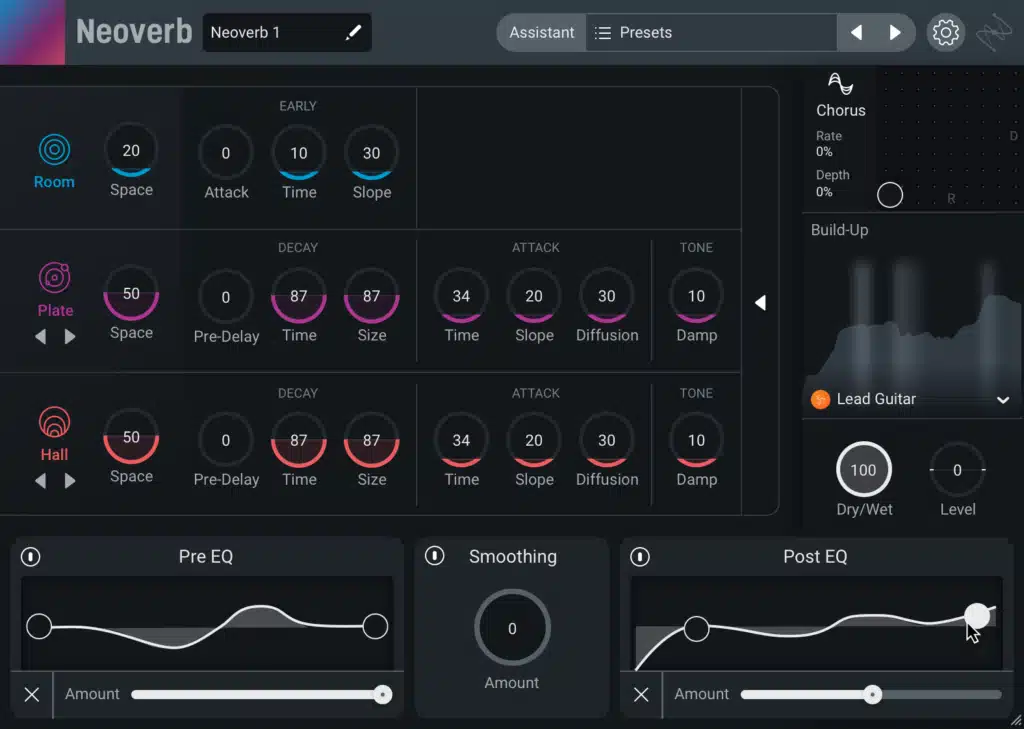
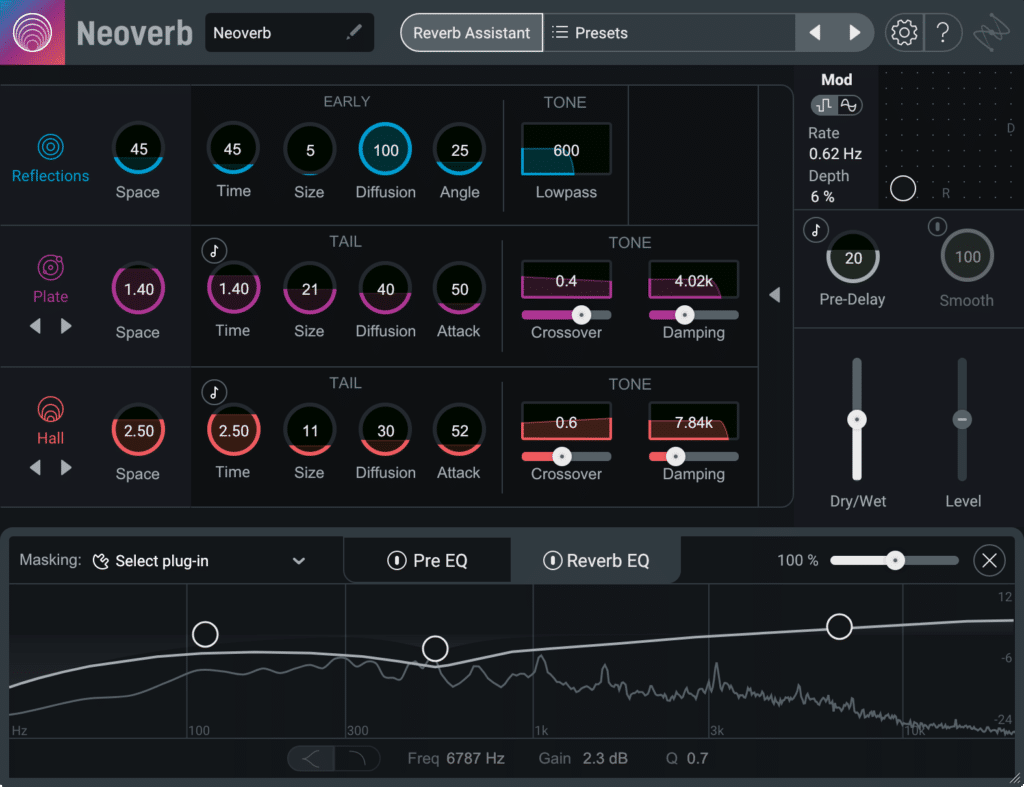
When you’re ready to go deeper, Neoverb offers an endless world of reverb sounds to explore. Add your own unique touch with theAdvanced Panelcontrols with unique settings for all three reverb styles, for near-infinite creative possibilities. Or, get reverbs ready-made for vocals, instruments, and genres with dozens of unique presets made by iZotope’s team of professional sound designers.
Key Features:
- Design & Combine – Blend up to three different reverbs at once, or let the assistant choose them for you. Automate the blend pad in your DAW to create exciting movement in your mix!
- Carve it Out – Neoverb’s AI-powered EQs listen to your audio to make suggestions. Unmasking technology helps your reverb stand out in the crowd, or blend into the mix.
- Visualize Your Space – Explore dozens of presets and advanced controls that let you add your own personal touch, no matter the genre.
- Blend Pad – Blend different types of reverb together to get a unique sound in seconds: Add realistic space with Reflections, classic environments with Plate, and height and depth with Hall.
- Reverb Assistant – Choose your preferred Size and Style while iZotope Neoverb automatically selects and blends reverb combinations and advanced settings as you move the sliders.
- Reverb EQ – Mix your reverb, avoid long, corrective plug-in chains and get the cleanest reverb tone in just one plug-in.
- Pre EQ – Treat your input signal before it hits the reverb to avoid unwanted build-up or resonances in your wet signal.
- Advanced Panel – Individual, customizable parameters for each reverb engine, including Attack, Crossover, Damping, and more.
- Masking Meter – Use Dry vs. Wet mode to view masking over your dry track. Or, select another compatible iZotope plug-in to check masking on other tracks in the mix.
- Smooth, Pre-Delay, & Mixing Controls – Neoverb’s Input/Output (I/O) panel gives you more ways to mix reverb.
- Mod Pad – An intuitive X/Y Pad helps you quickly dial in the right setting.
iZotope Neoverb Links
If you would like to grab Neoverb by iZotope then check the links below and help support Producer Life.
https://www.pluginboutique.com/meta_product/2-Effects/17-Reverb/6909-iZotope-Neoverb

iZotope Neoverb System Requirements
Operating Systems
Mac: macOS Sonoma (14.7.x), macOS Sequoia (15.7.x), macOS Tahoe (26.1.x)
* Supported on Intel Macs & Apple silicon M-series Macs (native and Rosetta)
Win: Windows 10 (22H2), Windows 11 (24H2)
Plugin Formats
AU, AAX, VST3, VST2
* All plug-in formats are 64-bit only
DAWs/NLEs
Logic Pro 11, Ableton Live 10.1 – 12, Pro Tools 2024, FL Studio 2024, Cubase 14, Nuendo 13, Studio One 7, REAPER 7, Reason 12.5, Audition 2025, Premiere Pro 2025.